You are Valkenhiem, a knight living in the kingdom of Larion. You have a steel
longsword and a wooden shield. You are on a quest to defeat the evil dragon
of Larion. You’ve heard he lives up at the north of the kingdom. You set on
the path to defeat him and walk into a dark forest. As you enter the forest
you see a large black dragon flying through the sky. He looks down upon you
from above
> You hide in the bushes.
The dragon flies over your head as you hide behind some bushes. The dragon flies
over your head as you hide behind some bushes.
“What is it?”
“I don’t know”.
> You who is talking?
“Who is speaking?”
“It’s me, Valkenhiem”.
“Valkenhiem, what do you want?”
“I need your help to kill the dragon”.
> You you don’t know, he looks kind of scary.
“I’m not going to help you, I don’t know anything about dragons”.
“No, no, you’re right, I can tell you’re scared, but trust me, it’ll be fun!”
> You thats what they always say. Join the army, it’ll be fun they said…then
you lose a leg.
“I’m sorry, I didn’t mean to scare you like that, I just..”.
> You lets follow the dragon. Which way did he go. You need to sneak up on him.
The dragon flies past you as you run after him. He flies past you as you run
after him.
“Look at this thing, its huge! It’s almost bigger than my house!”.
> You that’s what she said.
“Oh come on, it’s just a big old bird, let’s get close before it gets too angry”.
“Yeah, yeah, we’re getting close!”
“Alright, I think we’re there now”.
He turns around and starts flying towards the mountain range
> You do you have a bow and arrow? How are you going to catch up?
“Well, I suppose if you had a bow and arrow you could shoot me from a distance,
but I don’t have one, so I guess I’ll have to try to catch up with you then”.
> You is this the dragon talking to you\? Or a companion.
“Ah, yes, a companion, well I am a friend of his, so I will listen to whatever
he has to say, but I doubt if I’ll ever beat him, but I’ll give it my best shot”.
> What is your name?
This is a free asset on the unity store that will optimize your Update, LateUpdate, and FixedUpdate Loops. Its very easy to use once you get past the horrible directions.
Its this simple to use [Import is assumed to have already been done]:
A) Set up your scene. Drag Assets -> UpdateManager -> Prefabs -> Update Manager into your scene.
B) Open your script.
Change this:
public class CharacterMotor : MonoBehaviour into this -> public class CharacterMotor : OverridableMonoBehaviour
Find Awake()
And change its function name into this instead: protected override void Awake()
Very First Line of awake add this:
base.Awake();
In any script where you use Update, LateUpdate or Fixed Update change the function title to one of these:
public override void UpdateMe()
public override void FixedUpdateMe()
public override void LateUpdateMe()
It is no exaggeration that I was able to recover 100+ Frames per second in processing using just this.
10 outta 10 would have bought it myself if it wasn’t already free.
It was recently asked of me to describe how i added my drone to this controller. The video that caused this question is as follows:
So I decided to write this up last night. In case i need it later myself, or if someone actually stumbles into this post and has need for it…what are the odds
Do me a favor though since i used this Youtube channel to figure this all out, its literally his drone code, I just made it function in the context of this controller:
ts free so I don’t think he would really mind, but at least give him a watch even if you don’t pay attention. He still deserves the views.
He also has links to audio and models.
First you need 2 Transforms attached to your character.
No scripts attached to them, its just for Positional Placement. Id name them something like:
DroneSpawnPoint
DroneCameraSpawnPoint
Here’s the hard bit, I did this a while ago. But i did make this one master script, and I altered ThirdPersonInput a smidge. I’m not sure how good your coding is but this is my script for the activation, so some edits will be needed for you to make it work, such as pulling out the parts specifically for my menus like
public GameObject PauseCanvas;
public GameObject MenuCanvas;
These are unique to me and unless you set something up your self those parts wont work for you, if you chose to leave those parts in that’s fine, there’s no functions you are missing out on and its all set up script side already you just need to make your own menus. It should be fairly obvious what to leave out if you extract them. just remember to check each script for references to them.
:
using System.Collections;
using System.Collections.Generic;
using UnityEngine;
using CoverShooter;

public class MenuPlayer : MonoBehaviour
{

public bool Paused = false;
public bool Menu = false;
public bool DroneCameraOn = false;
public ThirdPersonInput Player;
public GameObject PauseCanvas;
public GameObject MenuCanvas;
public Camera PlayerCamera;
public GameObject DroneCamera;
public GameObject DroneSet;
public Transform DroneSpawnPoint;
public Transform DroneCameraSpawnPoint;
private GameObject DroneCameraGO;
private GameObject DroneObjectGO;
public string DroneCameraTag = "DroneCamera";
public string DroneObjectTag = "PlayerDrone";

// Use this for initialization
void Start()
{
Paused = false;
Menu = false;
DroneCameraOn = false;
PauseCanvas.gameObject.SetActive(false);
MenuCanvas.gameObject.SetActive(false);
PlayerCamera.gameObject.SetActive(true);
}

// Update is called once per frame
public void LateUpdate()
{
if (Input.GetKeyDown(KeyCode.P))
{Pause();}
if (Input.GetKeyDown(KeyCode.U))
{MenuScreen();}
if (Input.GetKeyDown(KeyCode.O))
{DroneActivation();}
}

void Pause()
{
if ((Paused != true) && (Menu != true)) //|| (DroneCameraOn != false))
{PausedOn();}
else
{PausedOff();}
}

void MenuScreen()
{
if ((Menu != true) && (Paused != true) && (DroneCameraOn != true))
{TurnOnMenu();}
else
{ TurnOffMenu();}
}

private void PausedOn()
{
PauseCanvas.gameObject.SetActive(true);
Time.timeScale = .000001f;
Player.isPause = !Player.isPause;
Paused = !Paused;
}

private void PausedOff()
{
PauseCanvas.gameObject.SetActive(false);
Time.timeScale = 1;
Player.isPause = !Player.isPause;
Paused = !Paused;
}

public void TurnOnMenu()
{
MenuCanvas.gameObject.SetActive(true);
Menu = true;
Player.isPause = !Player.isPause;
Player.isMenu = !Player.isMenu;
}

public void TurnOffMenu()
{
MenuCanvas.gameObject.SetActive(false);
Menu = false;
Player.isPause = !Player.isPause;
Player.isMenu = !Player.isMenu;
}

public void DroneActivation()
{
if (DroneCameraOn == false)
{
Player.isPause = !Player.isPause;
DroneCameraOn = !DroneCameraOn;
DroneInstantiation();
}
else
{
Player.isPause = !Player.isPause;
DroneCameraOn = !DroneCameraOn;
PauseCanvas.gameObject.SetActive(false);
DroneCameraGO.gameObject.SetActive(false);
DestroyDroneStuff();
}
}

public void DroneInstantiation()
{
Instantiate(DroneCamera, DroneCameraSpawnPoint.position, DroneCameraSpawnPoint.rotation);
Instantiate(DroneSet, DroneSpawnPoint.position, DroneSpawnPoint.rotation);
FindDroneStuff();
}

public void FindDroneStuff()
{
DroneCameraGO = GameObject.FindWithTag(DroneCameraTag);
DroneObjectGO = GameObject.FindWithTag(DroneObjectTag);
DroneOnCameraStates();
}

public void DroneOnCameraStates()
{
PlayerCamera.gameObject.SetActive(false);
DroneCameraGO.gameObject.SetActive(true);
}

public void DestroyDroneStuff()
{
Destroy(DroneCameraGO);
Destroy(DroneObjectGO);
PlayerCamera.gameObject.SetActive(true);
}
}
I added this to ThirdPersonInput:
#region Custom Settings
        /// <summary>
        /// Player_Goes_Here
        /// </summary>
        public MenuPlayer menu_Player;

        /// <summary>
        /// Pauses the Game
        /// </summary>
        public bool isPause = false;

        /// <summary>
        /// Pauses the game when your in a menu
        /// </summary>
        public bool isMenu = false;

        /// <summary>
        /// Bool to control if you have control over a drone
        /// </summary>
        public bool isDroneCamera = false;

        #endregion
Here is Pt 2 of the Drone bit. In the last post we altered the player scripts, now we code the drone:
Make a new script and call it DroneCameraFollow
using System.Collections;
using System.Collections.Generic;
using UnityEngine;

public class DroneCameraFollow : MonoBehaviour
{
private Transform ourDrone;
public string droneTag = "PlayerDrone";
public float DampingTime = 0.3f;

void Start()
{
ourDrone = GameObject.FindGameObjectWithTag(droneTag).transform;
}

private Vector3 velocityCameraFollow;
public Vector3 behindPosition = new Vector3(0, 2, -4);
public float angle;

void FixedUpdate()
{
transform.position = Vector3.SmoothDamp(transform.position, ourDrone.transform.TransformPoint(behindPosition) + Vector3.up *Input.GetAxis("Vertical"), ref velocityCameraFollow, DampingTime);
transform.rotation = Quaternion.Euler(new Vector3(angle, ourDrone.GetComponent<DroneMovementScript>().currentYRotation, 0));
}
}
You are gonna put that on a Camera.
Set your inspector to my values then save as a prefab:
For the Drone itself we have a few parts. You can just grab a free QuadCopter Mesh off the asset store. Its best if you get one where the propellers are separate objects.
here is how I have my organized in the Hierachy:
1. Make an empty Game Object name it Drone Parent (essentially we just want a container)
2. drone_sound is also just a Gameobject with nothing except a AudioSource, put your propellor sound on that and set it to Play on Awake and Loop – set to 3d sound
Select DroneParent
Make another new script we’re almost there I promise, call it: DroneMovementScript
Place that script onto DroneParent and fill in with these values:
And Finally! 1 last optional script:
If you want spinning propellers add this one as well to your project, and attached to each propeller:
using System.Collections;
using System.Collections.Generic;
using UnityEngine;

public class PropRotation : MonoBehaviour
{
public float speed = 3000f; //degrees per second

void Update()
{
transform.Rotate(Vector3.forward * Time.deltaTime * speed);
}
}
Make a prefab of your Drone Body to go with your Drone Camera now. And fill in the Slots on MenuPlayer located on your character like this:
Player Camera is the normal camera you would be using by default.
Drone Camera is obviously the Camera we setup for the drone
Drone Set: This is the Main Drone Body and propellers we also set up
Drone Spawn Point is the Transform we set up first I recommend putting this above and to the right of the player
Drone Camera Spawn Point is the other Transform make sure this behind and above the player for best result.
And finally the last 2 fields are the tags we will be looking for.
If you chose to leave Pause canvas and Menu Canvas in the scripts just drag your Menus in the appropriate field.
That’s the best I can do at the moment. I might tighten these up in the next few days if i decide to put the drone in my new prototype, as this was fairly brute force. I’m sure you can find ways to optimize this.
I hope this helped! Goodluck!
The Division 2 came out roughly 6 months ago. I was very excited for this game. I really enjoyed The Division (Henceforth referred to as D1 from now) so I was very happy this was announced when it was. D1 was getting a bit boring for me, It was a fun game, but I couldn’t careless about the setting in NY. Running around killing baddies in the shadows towering skyscapers was a fantastic experience but they could have easily made up a new city instead of just using NY. I also really enjoyed the parts underground…to an extent. So I was expecting more of the same, just in a more interesting city. Did D2 deliver on the promise of more of the same? Did it add anything exciting and new to the mix? Lets find out.
Graphics
Even at launch the game definitely looked better than D1. Where D1 was set, in what really resembled a dystopian nuclear winter, D2 is set in a Summer Blaze. DC is much more open and flat. This lends itself to longer lines of sight which occasionally grant you nice a vista from a 4th story rooftop. Much more care was given to the weather system. You get everything from dense fog to torrential rain pour. Unfortunately these effects are far too infrequent for them to truly be appreciated. Reflections have been greatly improved from D1, I may have been imagining it but I swear I could see myself in some of the reflections. [Yes, I definitly could]
The atmosphere is amazing at night. There are flood lights all over the place. The shadows are real time and dynamic. When you go underground in the sewers Floodlights illuminate the corridors and when you run down them you block the light which grants the end of the corridor a foreboding feeling because suddenly your view is blocked…
The did not hold back in the smoke effects either. When a grenade or a Molotov cocktail go off you can really tell. Smoke or Fire billow impressively.
So that’s raw presentation and special effects. As for the character creator….meh.
It really feels like they tried to give you more options, but it was really just that. I don’t really think they accomplished the goal here. I think more effort went into the backpacks and the dangling keychains which personally I could have lived without, it just doesn’t add anything substantial and you can hardly even tell anyone has one attached. A great deal of work was put into the Outfit Portion this time. It doesnt feel like your are being punished for not buying Loot Crates this time around. You actually get Key Fragments at a fair rate if you just want to play and not keep buying. You can get Key Fragments after some quests or Missions and once you have enough you can combine them into a Common Key or an Uncommon Key. I averaged about 42-48 per quest and it takes just 100 to get a common.
There are A LOT of clothes to unlock. You will get duplicates but you get currency in return when you draw a duplicate, unfortunately you will find little of value to spend this currency on. We have seen a trend of new content though if this is your thing. They have shown no hesitation in adding new Designer Sets to farm for.
Gameplay
Much like D1 the game is a over the shoulder 3rd Person Cover Shooter – that hasn’t changed, and that’s good! What has changed is how the game plays mechanically. You now have MORE options. 8 specific abilities and you can still have 2 equipped at a time. We’ll come back to that.
This is a RPG at its core so its important to crank you personal numbers as high as possible. As is the trend in RPGs now a days you hit max level fairly quickly, the game then shifts over to the much venerated Gear Score Method of tracking your Personal strength level. This games cor level cap is maxed at 30. The gear score is now Maxed at 515, I believe at launch it was capped at 400. This is where some of the grind comes in. 95% of what you pick up will either be a weapon you have no interest in using or something just quite as good as what you presently have, but every now and then you get a nice subtle upgrade. Enough of these teeny upgrades will add up in the long run.
The gunplay is a top notch ever evolving system due to this being a ‘Live Service Game’. For example the most recent coming change they will be removing Critical Range. So regardless of what weapon you are using at what distance a critical hit is still possible.
Each weapon can equip mods in slots to edit its stats as well as change its color. As you progress you can also unlock perks which can further alter the effectiveness.
Each weapon has specific stats that are unique to it, such as fall off damage, range or talents like 1/5 has a chance to set someone on fire or shock them.
Special Abilities
There are a total of 8 special abilities, each one has a few variants as well. Plus there are ever more after you unlock the specializations. Personally I prefer to play solo so once I set my abilities of Turret(Default setting) and Drone(Healer Variant) I just never needed to change. Each ability also has mods you can equip to further edit there parameters such as Active Time or additional Outgoing healing or ever just more Damage.
Story
The story itself was largely forgettable as are the characters with a few notable exceptions. Thats not much different from how it was in D1. However, thats totally fine was never that important. The story is there if you are really interested, its just tucked away in some menus. I think the idea behind that was no one plays looter shooters for gripping narrative and if it was…I cant really find a basis to argue against it.
Essentially this setting is in Washington DC after the NY epidemic. The president died of a Heart attack and the Vice President went down with Air Force One and is now missing. Your base of operations is the White House and as you start the game your first mission is to save it from hostile take over. There are a total of 15 main missions and they are all fun and take place in exciting and varied locations with a lot of verticality to keep things fresh and interesting.
Initially you will be fighting just 3 factions and a 4th unlocks at a later plot point:
The game is about 20 hours long for the main campaign 30 if you add all the side content as well. The end game is frankly pretty weak. Once you finish the initial 15 missions you are given access to 4 Strongholds. These are essentially the raids of this game. Once you beat the first 3
District Union Arena
Roosevelt Island
Capitol Building
You Unlock the Specialization Class, which is essentially a super weapon. The game Launched with 3 and has added an addition 3 only 1 of which is currently unlocked so far.
Technically, you have beaten the Game at this point. You then fall into the End Game loop from here. This is where the game truly falters. Enter the Black Tusk faction.
Due to a plot twist a 4th faction attacks the capital and takes over all the strongholds again and they also Randomly Invade (this is a key term here) some of the previous missions. You are also moved to another World Tier. and a 4th Raid shows up on the map. Tidal Basin. This raid is fun i cannot deny that. This is not the issue I have with the post game content. My main issue is the World Tier Concept.
Once you start this process there is no going back. First off this makes you feel weak again. That’s not in itself an issue. My main gripe with this process is you have no control over when you move up a tier. You beat the invaded missions to unlock the strongholds again. Once you beat them once more you Unlock Tidal Basin again…and then you move up another world tier…rinse and repeat until you hit tier 5. That is all there is. This could have been somewhat corrected by going the Diablo route. Let the player chose the Tier level they want at load time and scale the reward accordingly, this also lets them go back to the lower difficulty states at their own will. Not everyone wants a challenge. Some people just enjoy the experience. The difficulty slider on the Mission simply isn’t enough to combat this. Sometimes I just want to gather the 100s of collectibles, and not fight a tank with 20k HP. They actually reduced player agency by doing this. This isnt even a technical problem, AI is all processed Server Side then sent client side and world tier doesn’t affect those. Its just a baffling design decision.
Multiplayer
I played some of the PvP and Some of the DarkZone. I feel both of these elements are very weak. You get stat Normalization in PvP so everyone is on a level playing field, it just doesn’t feel that way. Percentage stat increases still take affect despite this, and this essentially obliterates the Normalization process. So it is still less about player skill and more about your gear. Remove the percentage increase buffs and it would be more fair and fun.
The DarkZone in this game has been dramatically reduced in size and intensity. Normalization also takes affect here and that would have been fine by itself…the issue here is they reduced player count per DarkZone instance to just 8. Rarely have I stumbled into another player even after going rogue and that’s despite it painting a big old target on my back saying HE’S RIGHT HERE COME GET HIM! When you go rogue every player gets an indicator that you have disavowed the division and they are invited to come get you. I didn’t like DarkZone in D1 because it was wildly unbalanced, but in D2…there just isn’t enough players per instance. Even when I did decide to venture into the DarkZone the loot wasn’t even worth it, nothing I got loot wise was an improvement to anything I already had.
Final Thoughts
This game is hard to quantify to a singe score, because there are 2 competing aspects to it. Core game and Post game. So it gets 2 scores from me. Multiplayer is getting put in Post Game because the Core Game doesn’t even encourage you to enter it – except once for a narrative bit.
Score
Core Game: 8.5It could have been a 9 but the world Tier Concept is just not working to an advantage. Graphically the game is a marvel and the setting is very interesting. I genuinely enjoyed playing the core story missions, they were fun even if the Narrative was fairly easily forgotten.
Post Game: 6 Multiplayer Decisions are a baffling set of contradictions and DarkZone while not my personal cup of tea it could have been great this time around, but needs to have a larger instance population. Post Game Content is incredibly weak. Many reviews stated how wild and amazing the post game was before the game even launched…If this is what they are talking about then they need to reevaluate their reviews. The end game for me…was a huge disappointment. I have sadly found it difficult to continue playing more than 1 day at a time. I come back do the months new content then turn it off until the next update.
This game seemingly came out from no where. I cannot recall hardly any advertising. I initially saw this, I believe at E3 2018 and it did not leave a strong impression at the time, something about it just didn’t keep my interest.
Fast forward, a few weeks ago I finally saw another spread in a magazine. Now, that advertisement hooked my interest more strongly. Additionally I then saw a release trailer and decided it was time to play it.
Graphics
Environmentally, the graphics are amazing. Lots of Screen Space Reflections (also known as SSR). You’d be tempted to think that only the PC could look that crisp. However its not so. Even playing this on a Legacy PS4 not PS4 Pro it still looks this nice. There are definitely performance problems, but they are not common. I averaged 30 FPS, however it does falter during intense combat with all the physics simulations going on at the same time, I think it dipped as low as 7 or 8 frames for a few seconds at times. None of this led to my death or made it completely unplayable, but it did affect my experience a little bit.
The main failure in the graphics and only real complaint I found that I had was the character models. They don’t look photo real but they get really close, texture wise It could also be the proportions.
They slipped a bit into the uncanny valley, even so, I don’t think the artists can really be blamed. I think one of the main issues definitely falls on the animation. The conversations are interesting to listen to, but the animations during them…are very rigid. They like Mass Effect have static poses in between triggers, but unlike mass effect, the tweening between poses sometimes skips and caused a sudden jump in the models. Like the Angry Joe Show mentioned, I also noticed that jaws tend to look like they unhinged and snapped to the right. It was at times uncomfortable to watch. Like a python getting ready to chow down on a mouse or something.
The Motion blur was expertly crafted and never gets taken too far. The Shadows, the lighting and atmosphere is amazingly crafted to give a sense of unease. Its never overtly scary, and the feeling it provides makes you feel as though you are playing a Survival Horror game without the resource crunch. Its just a creepy game, but one that you won’t want to shy away from, you will find your self coming back to, time and time again. At least until you beat it.
GamePlay – Combat
Combat in Control feels fluid. Its fun, its dynamic and it make you feel powerful. There is a telepathic weapon with multiple forms. This will be your contact with a mysterious entity call The Board. It can be upgraded between several forms. Each form can equip mods which in turn alters how it can be used. It has infinite ammunition, however each gun uses a different amount of your ammunition gauge. When you run out and need to reload, it simply recharges at a fixed rate. While it recharges you can use a Power in its downtime. This is where the main theme of Control kicks up.
There are 5 powers you can use, once you bind with Objects required or hidden. I managed to make it to the end of the game with just 4/5 powers. Only 3 are mandatory.
Powers
Launch- Each time you use Launch it pick a random target if nothing else is intentionally targeted. If there are no objects it tears concrete from a random room so there is never a time when you just can’t use it. It shakes the camera and leaves a nice satisfying crunch on impact. This will be your main fall back when you gun is out of ammo.
Shield – This is the basic defensive barrier. It summons objects from the room and eats the bullets for you. After you upgrade it over time you can use different versions of it. Eventually you can release it and it explodes as a projectile. I did not find myself using this very often, but it did not pair very well with my play style I find I play more aggressively.
Evade – This is the Dodge roll of this game. You can combine this with different player states. Mid air and can’t quite make the jump? Then use Evade. It will launch you forward about twice as far as a jump. Its also great for covering ground very quickly.
Levitate – As the name suggests you can essentially double jump and fly short distances.
Seize – This is essentially hypnosis, it lets you take over enemies that are low on health so that they can simply fight with you.
Story
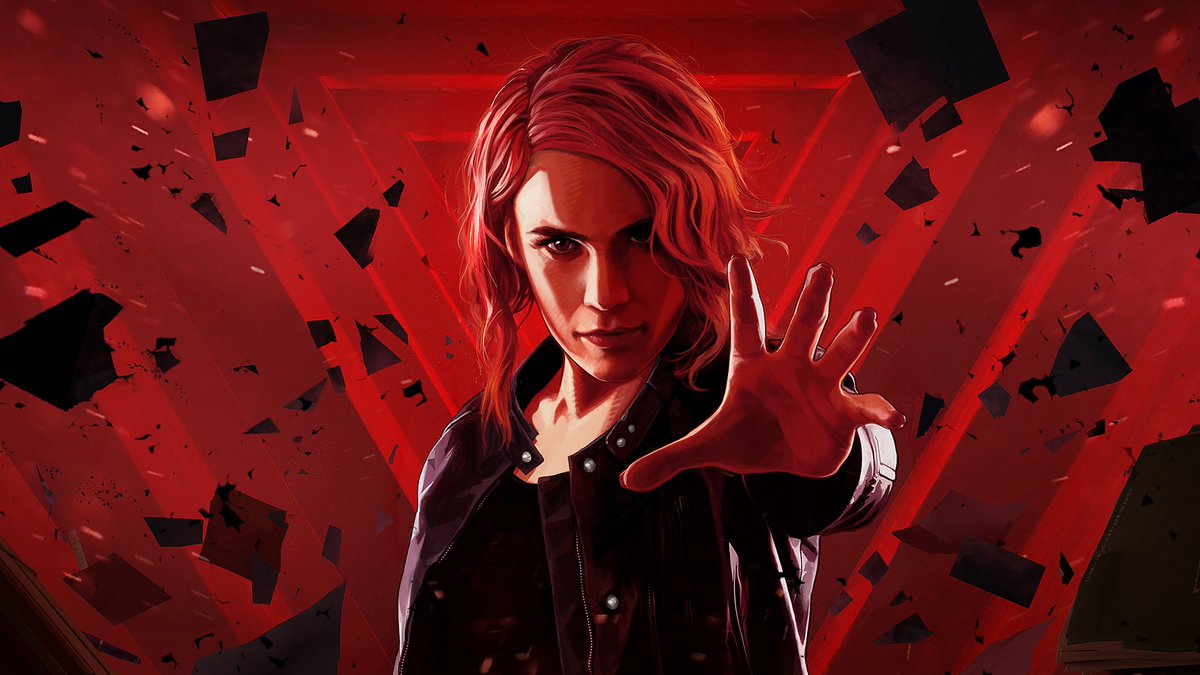
The basic premise of Control is Jesse Faden is looking for something. A mysterious Entity will pop up occasionally on screen acting as your objective marker, and initially guides her to the Bureau of Control. Once you acquire the Service Weapon you become Telepathically linked the the Board and they bid you, as the new Director, to clear the threat and raise the lock down and restore order to the Bureau.
As you fight through each area and Claim Control points you meet new characters some of which are interesting other that really just aren’t. There is no narrative branching, but there are different dialogue options that you can go through during each conversation to help build the world.
There is a lot of exploration in this game. I found that once I had some powers I was able to get places that would normally in other game legit be locked out by invisible walls. Generally speaking if you can see it, you can stand on it. And there are good reasons to go hunting as well, periodically you will get random alerts with I assume are procedural generated enemy encounters that can optionally be taken care of within a set time limit. Finish the quest and you get crafting materials for the Service Weapon and Mods. So you will find yourself going back to the older areas organically. There is also fast travel from each control point, so you don’t have to run \ fly the entire way.
Final Thoughts
I came away from my play through feeling very satisfied with the Game. It was a very pretty world despite being set in a single brutalist style building. There are tons of collectibles which flesh it out and tie it to other franchises like Quantum Break and Alan Wake. Despite the general lack of music the game was chock full of mystery and atmosphere. If I had to use another franchise to describe this, my pick would be a fusion of Warehouse 13 and X files. Get this game, play it and beat it. Then go for the amazing hidden and post game bosses.
8.0 / 10.0
~~~~Jesse Faden Compells you~~~~
Points docked for meh Main Story Line bosses, janky conversation animations and performance issues.
*The images included are not my own. I did not take the screenshots, I simply found images that illustrated the points
One of the things I quickly learned when I wanted to start making maps in RTSengine for Unity was there was a common theme in the RTS games that I yearned for.
In Various Command & Conquers and Age of Empires. they had hills. but more importantly they had plateaus and since it was from a orthographic point of view they needed to be at consistent heights across the board.
So much like my previous RTS Unit icon tutorial I came up with a design workflow that helped recreate this feel. We’ll only be using 2 tools for this. Photoshop and Unity’s Terrain Tools.
1st thing was I needed to decide was minimum height and maximum height on my maps.
To keep things simple this is what u decided to work with:
0 = Bottom Level; .5 = Beach Height; 1= Basic Land; 2= Second Tier; 3= Third Tier
Now this might seem fairly obvious but you can quickly get off the recoverable track if you don’t follow a plan and stick to it.
Step 1.
Unity Likes squares so open Photoshop and make a new canvas of 1024×1024. This is just for the map design you can make it whatever size you want on the actually terrain itself later. You can name it whatever you want.
Step 2.
Since we have 5 height level that’s how many layers we want.
Now we also need to set our Color System. Edit -> Color Settings (or if you like Keyboard Shortcuts -> Shift + Ctrl + K)
Set it to Web Graphics Defaults
The reason we do this is we want to limit the amount of color possibilities that there actually are available. This is A) Limit our accidental Error and more importantly B) Help use select the correct Grey scale colors.
Now we have 6 colors related to the Greyscale that we can use.
Step 3.
Make your Bottom Layer (in my example it was called Layer 1 Bottom) completely Black.
Now you have Set up your Bottom Layer as far and the game engine is concerned.
Now Choose your beach layer and go to Grey just above the black. Select your Layer 2 Beach and draw something. Make sure you draw it on Layer 2 for ease of correcting it later.
Here is what I came up with very quickly while thinking of a 3 person map with visibility constraints while sheltering the base.
Don’t worry if its not perfect. You can either fix it in the layers or just correct it manually in Unity. Realistically this is good enough for now.
Now File -> Save As
I’m going to call mine Crescent_Field
Change the format to Photoshop Raw <- This is critical!
I also recommend these settings:
Ignore any warnings. They don’t matter. Only thing that matters is the .raw was created.
Ok, Open Unity for the next step!
Step 4.
Now I’m going to assume you already imported RTS Engine if not, thats fine this will work in general to. Just skip the related SDK aspect.
File -> New Scene
RTS Engine -> Create New Map
Ok, this next step is important because of how Unity treats Terrains.
Expand the Terrain Object in the Hierarchy.
Now grab those 3 object and Un-parent them from the Terrain.
Now delete that Terrain Object entirely. You need to make a new one.
Game Object -> 3D Object -> Terrain
You can drag those object back under your new Terrain now.
Now we want to import our Raw…
Click on your terrain Then the COG icon on the far right side. Go alllll the way down tot the bottom and Under Heightmap Press the Import Raw Button.
Pay careful attention to this part. The Important bits are The Depth if you manually set it. It MUST match. The Width and Height must also match the Raw we saved. Since we set 1024 that is what we are using.
You can set the Terrain Size to what ever you want here, except for the Y since we set that to 5 layer we should exercise some restraint here or it will look out of proportion.
I will set my X and Z to 500 and my Y to 30.
It came out fairly nice I think!
Step 5.
I recommend you run a smoothing brush over the entire thing at maximum power. Then in moderation try to smooth out the beach to slant into the normal ground level smoothly. I find a 30 degree angle is really good. To test it out simply generate a new navmesh and set the Agent Angle to 30
Like so:
Step 6.
Just give it some make up now!
paint it some then add Aquas, a CTS profile an viola!
This only took about 30 minutes. If i wasnt juggling a 1 month old baby, it would have been even faster. Given the proper time and tools these things are pretty easy to make. Everyone like to dis the Unity engine but the terrains turn out just fine. I haven’t even used any camera effects yet.
Today was all about making icons that match a predetermined aesthetic.
Here’s How I went about making the icons you see below.
1. With in Unity I simply dragged one of my prefabs into the editor. And used Snippet to take a sectioned screenshot.
2. Copied it into a Photoshop page, cropped it to match what I wanted to see.
3. Used Image -> Image Size to make it 64×64 pixels. Popped a text saying what it was 3 pixels from the bottom.
Simply saved into my Unity Project as is, Set them all to 2D GUI Sprites voila.
3 Minutes a piece. You dont need a Script to get quality work for Icons. Some simple but time consuming effort and you get better results on your own.
Each one takes anywhere from 30 seconds to 5 minutes depending on how complicated cleaning up the screen you takes. I made about 50 icons today over the gradual course of the day with breaks in between.
I’m sure you can go even faster given practice, however I was also learning photoshop as I went.
Tomorrow I’ll detail a tip on how I make my Levels as well. 😉
The single most defining feature of playing an RTS is in fact base building.
Your game can have Turtling or Expansion Play over the course of a game. or like myself you can decide to have both.
In Command and Conquer you have harvesters that need go out and retrieve the Tiberium / Gold. This material deplete over time as you farm it forcing you to hunt down more or defend your supply on smaller maps. This is how games like CnC or SC control the player flow.
CnC allows Turtling by having fairly cheap units but expensive buildings and the Tiberium if managed properly Grows back. This can allow the Players to control the battle flow at their own rate.
SC is much more strict in this resource management. Everything is expensive and if you wanna expand your Max Army size you need to build more supply deploys or Pylons or Whatever the Zerg use. And you will quickly use up you available resources forcing base expansion and preventing Turtling. The theory is the player flow is faster.
For My own I decided I wanted to use both these Mecanics. I have designed 3 different resource types.
Currency – Generated by the Construction Center – Master Building
Metal- Generated by a constructed Drill
Electricity- Generated by a constructed Power Plant
However these will auto generate slowly. So the player will have the option to increase the rate of resource generation by having the Engineer Units retrieve the resources and carry them back to the the StoreRooms.
The Basic Flow will be Construction Center -> Metal Drill -> Power Plant
Barracks – Create Infantry
Factory – Create Land based Vehicles
Airports – Generate Air Vehicles:
Construction Center (Primary Structure):
Defensive Structures — What would a base be without Defensive structures:
You also need Multiple types of Units and Building Variations that separate these factions. Or they would simply be carbon copies of each other. This could simply be aesthetic or stat even unit/building cost. I have chosen to go with all 3 to manamge balancing.
I have 3 factions.
EU, Mercenary, and Cybernetic.
I will detail the variations in a later post. Once they are actually finalized.
What originally started a a throw away project to recreate WestWood Studio’s Command and Conquer has become something more. I had wanted to resurrect the CnC games from a time before the taint that is EA touched it.
It’s the best still being developed RTS sdk that I have found on the store.
Let me be crystal clear on my definition of RTS so there is zero confusion.
Command And Conquers [all of em except for 4 that’s a without question a hybrid MOBA]= RTS
HALO Wars = RTS
Age of Empire’s [all of em]= RTS
StarCraft I and II = Core game and Core Multiplayer RTS. However there are several mods on Battlenet that are actually MOBA’s
Civilization= NOT RTS. This falls under Turn based Strategy
League of Legends = NOT and RTS. this falls into a separate category of its own. MOBA as it is a hero type battle arena.
Any kind of Tower Defense = NOT RTS this falls into a separate category of its own. Somewhat obviously called….Tower Defense.
A strong distinction is vital when classifying games. You do not want to deceive your players or buyers into thinking your game is in fact something it is not. This is how you alienate your audience. Real Time Strategy is a classic genre and the title for that type of game should be preserved to represent a pure concept. Its fine to add a mecanic here and there of course. However dive too far and you missed the forest for a tree.
I was getting sick and tired of Games that are actually MOBA’s or Tower defense or TBS game get slapped under the RTS classification. Let those game stand on thier own in the proper Genre. That is where they belong. Stop try to drown the actual RTS games under your trifle. To do so is dishonest and makes you a bad developer.
Having seen so much of this happening I decided to set out and try to make my own. I was thinking how hard could it possibly actually be to make one of these if EA could do it. Lets be honest they are not exactly a ‘AAA’ company like they claim to be, outside of the sports genre crap they spew. They are opportunists at best.
This is part of why the Command and Conquer franchise died a sudden death. They observed a market trend and tried to convert a game that was strong enough to stand on its own to follow that trend. and it failed. The CEO at the time decided this was a failure in the genre instead of taking responsibility for betraying fans of the series, and gave it the chopping block. Incase you are unaware of what Im talking about — There was a title called ‘Command and Conquer 4: Tiberian Twilight‘
The basic failure in this…and it waseasily fixable…Was the decision to remove the core staple of the series out. The removed the base building aspect from the game. Instead replacing it with a Mobile support platform that was only capable of creating a single type of unit. This was a departure from ALL the previous games – presumably in an attempt to reinvent the IP and merge it with the MOBA market. Needless to say the fans did not like it. Reviews were not nice.
That game marked the fall of the entire franchise and was directly responsible for no fewer than 3 different games being canceled. And ultimately left Starcraft I and II uncontested.
Now you know where I stand and my thoughts. With that defined and vented lets begin!


 The main failure in the graphics and only real complaint I found that I had was the character models. They don’t look photo real but they get really close, texture wise It could also be the proportions.